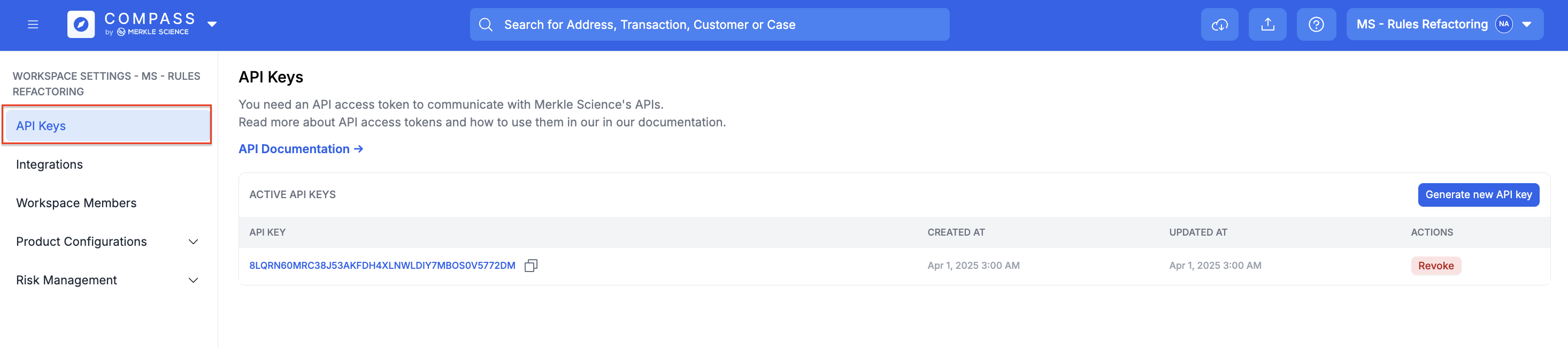
You can view and manage your API keys in the link below, or, Go to workspaces list from right top drop down button with organisation name, click on the settings icon against the workspace to reach workspace settings and you will find API keys page navigation link on the left in the navigation links list.
API Keys Link
If you are unable to obtain API keys from the link provided above, please generate or retrieve your API keys directly through the user interface.
Your API keys carry many privileges, so be sure to keep them secure! Do not share your secret API keys in publicly accessible areas such as GitHub, client-side code, and so forth.
All API requests must include an X-API-KEY header which can be used to authenticate your requests.
{
    "X-API-KEY": "<INSERT API KEY HERE>",
    "accept": "application/json",
    "Content-Type": "application/json",
}
HTTPS requests onlyAll API requests must be made over HTTPS. Calls made over plain HTTP will fail. API requests without authentication will also fail.
Retrieve API keys from User Interface
-
Navigate to Workspace Settings
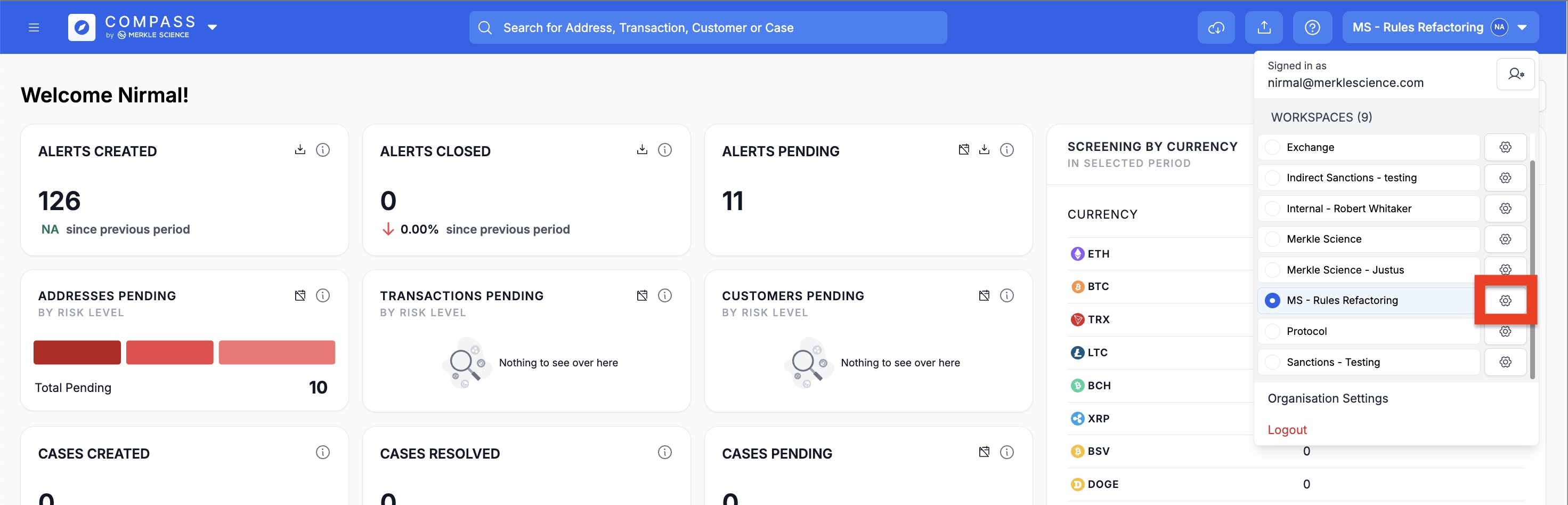
-
Navigate to API Keys section for Workspace